

The fastest tax memo draft can still be the most expensive one to review.
You may save time on writing, then spend it checking client facts, tracing authority, correcting the analysis, or answering reviewer questions. That makes drafting speed only one part of the decision when you’re comparing AI tools for tax memo work.
Some solutions are strongest once the research is complete and you need to turn the analysis into a usable draft. Others can help earlier with document analysis, tax research, and citation verification, or later with tax correspondence and reviewer handoffs. Some connect several of those stages in one workflow.
In this guide, we group the best AI tools into four stages of drafting a tax memo: client-document analysis, turning tax research into a draft, verifying supporting authority, and managing review and handoffs. Each category addresses a different stage of the process, helping you identify the tools that best match your team's needs.
Best AI tools for drafting tax memos at a glance
The tools in this comparison support different stages of preparing and reviewing a tax memo. Some help you analyze client documents, others carry tax research into a draft, verify supporting authority, or coordinate review and handoffs.
The table below lists the seven best AI tools for drafting tax memos and where they help best in your tax memo process.
How to use this comparison:
We grouped the best AI tools by the part of the tax memo process they support. Start with the type of help you need, then look at how the relevant tools approach that part of the work.
Some solutions appear in more than one section because their capabilities extend across several stages of the memo process.
Best AI tools for analyzing client documents before drafting a memo
Analyzing client documents can take time, especially when several files are involved. The review can add hours to your workload before you even begin the actual tax research.
Here are examples of AI tools that can reduce that work by extracting relevant information, highlighting important provisions, and identifying gaps that need further investigation.
1. Blue J uses client documents as context for tax research
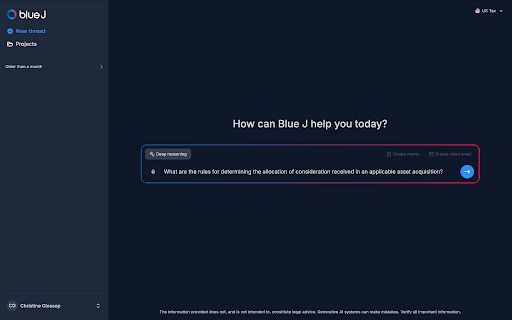
Blue J allows you to upload a client document and ask questions about what it contains. Every analysis is backed by the tax sources in Blue J's research library, so the response is grounded in tax authority and commentary rather than a generic AI response.
For example, if a client sends you an independent contractor agreement, you can upload it and ask Blue J to identify provisions that could affect the worker-classification analysis. Blue J then pulls out relevant facts about control, scheduling, equipment, or how the work is performed, and helps you investigate those facts against the applicable tax sources.
You can also ask what the agreement doesn't tell you through conversational tax research. If a fact that could affect the analysis is unclear or missing, you can use follow-up questions to identify what you may need to confirm with the client before reaching a conclusion.
This tool gives you more than a summary of the uploaded file. You can use the document to establish the relevant facts, identify gaps, test those facts against applicable tax authority, and develop a more informed analysis of the issue.
2. CoCounsel Tax connects client documents with Checkpoint-backed research
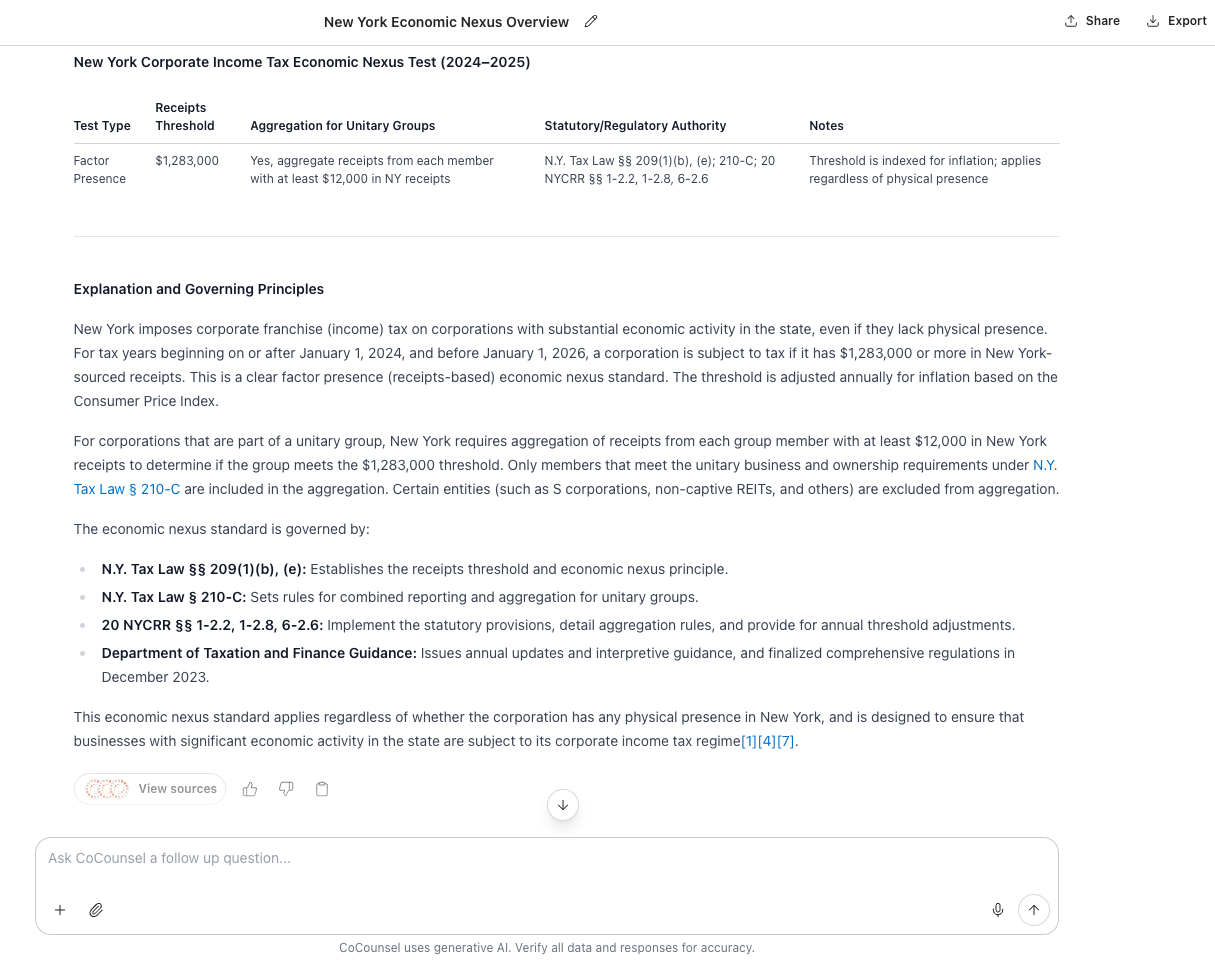
CoCounsel Tax is an AI-powered tax research assistant from Thomson Reuters, connected to Checkpoint's tax research content.
It lets you upload client documents and analyze them by asking specific questions about the information you need.
In Workspaces, you can review a single document or several files at once. If you're looking at a partnership agreement, for example, you can ask the tool to identify key provisions, extract specific terms, or flag areas that need closer review. Like Blue J, the responses include citations to the underlying document, so you can trace each finding back to the source.
You can also save those questions in a template or use your own checklist across multiple files. That gives you a more consistent way to review agreements, contracts, and other client materials without rebuilding the same process each time.
If you're comparing how these two platforms approach document analysis, research, and source coverage, see our guide on Blue J vs. CoCounsel comparison.
Best AI tools for turning your tax research into a draft
The next phase in drafting a memo is actually preparing the draft. This involves you turning your findings, supporting authority, and analysis into a written deliverable that your clients or colleagues can review.
AI tax tools prove helpful here. They can create a memo draft without having to build the document from scratch. And practitioners are already putting them to work. In the 2026 AI Tax Research Solution Outlook Report from Blue J and CPA, 35% of respondents said they currently use AI for drafting.
These tools give you a structured starting point, but the analysis is still yours to test, and the final memo is still yours to sign off. Academic researchers are seeing a similar shift. A 2025 paper on AI and accounting research argues that while generative AI makes some research capabilities more accessible, it raises expectations for human judgment, creativity, and theoretical depth.
With that in mind, here are the best AI tools for turning completed tax research into structured memos and other written deliverables, and for making those drafts easy to review.
1. Blue J

With Blue J, you can draft a memo from the same chat where you analyzed the client documents and conducted your tax research.
Once you've reviewed the analysis and supporting sources, you can select “Create Memo” to generate a structured technical draft from that work.
Blue J carries the facts, reasoning, and authority already established during the research process into the memo, so you don't have to write down the same context and information discovered during research.
From there, you can refine the draft with follow-up instructions. For example, you can ask Blue J to add an executive summary, shorten a section, adjust the level of detail, or tailor the language for a particular audience.
Blue J's tax writing feature extends beyond memos. You can turn reviewed research into client emails, presentations, and draft responses to IRS notices and other tax-authority correspondence. For an IRS notice, that means using the notice and client context to research the issue, inspect the supporting authority, and carry that reviewed analysis into a structured response draft.
When the memo is ready, you can copy it or export it to Word or PDF. You still review the analysis, supporting authority, and final language before approving the work.
2. TaxGPT
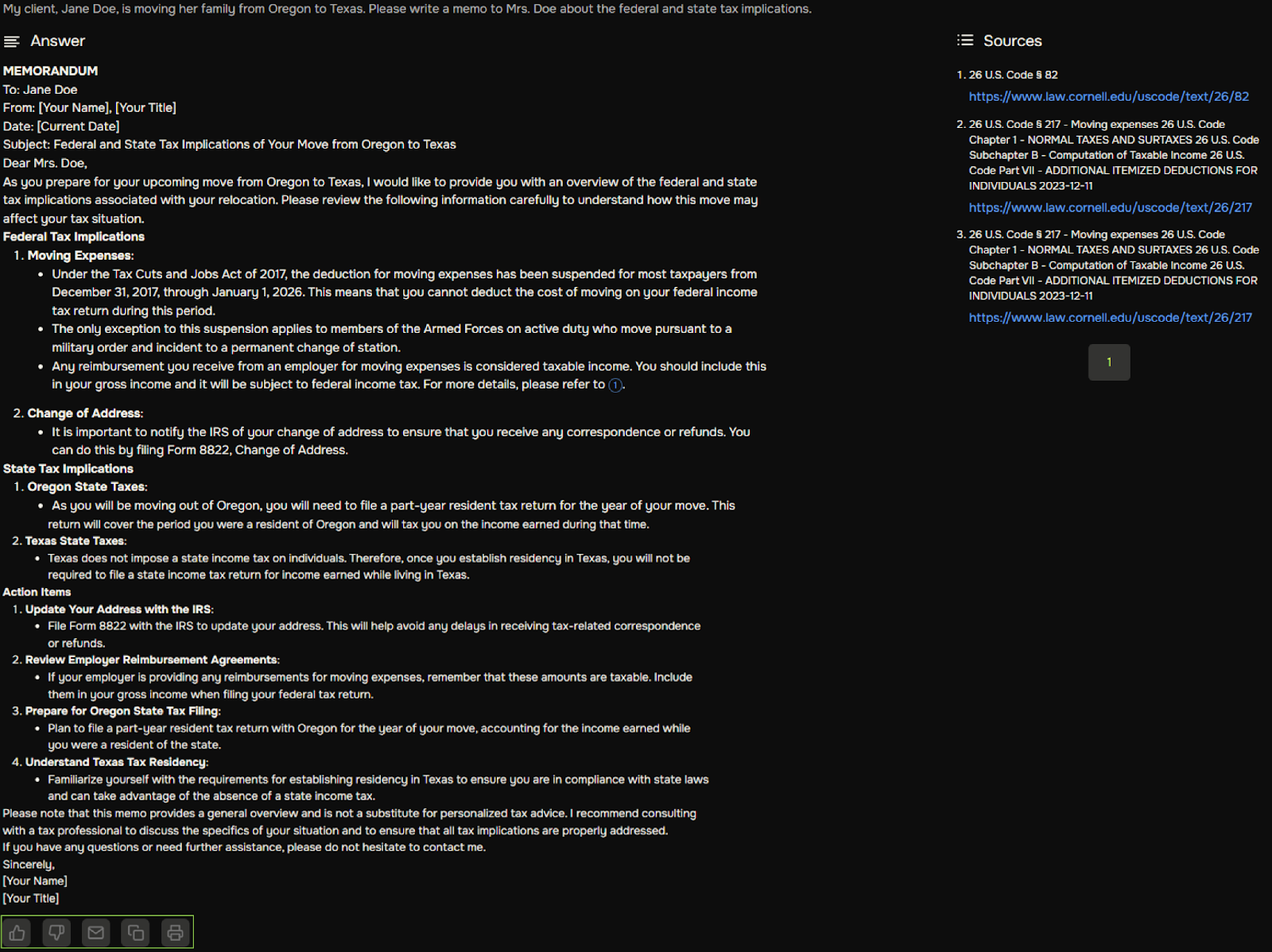
TaxGPT is a tax-focused AI-powered tool that helps you research tax questions and generate tax documents, including memos, engagement letters, and IRS correspondence.
The platform’s feature, Tax Writer, helps you turn completed tax analysis into a structured written document.
Once you've developed the issue and supporting analysis, you can choose the type of document you want to create. TaxGPT supports tax position memos, client emails, engagement letters, Internal Revenue Service (IRS) notice responses, Prepared by Client follow-ups, and client alerts.
Tax Writer generates tax memos, IRS correspondence, engagement letters, and client emails from tax analysis. But you still need to review the facts, supporting authority, reasoning, structure, and final language before using the draft.
3. Bizora
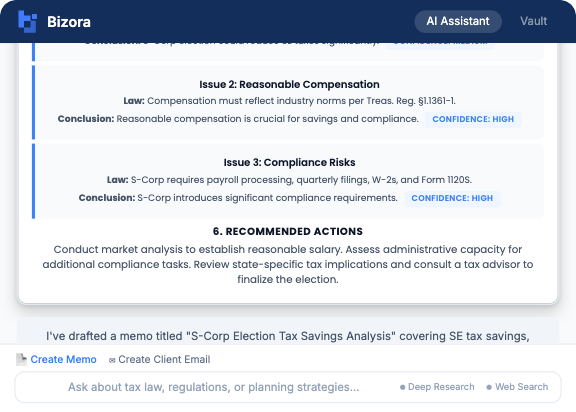
Bizora is an AI tax research and drafting platform that connects client-document analysis, cited research, and tax writing.
The platform lets you move from tax research into drafting without starting over in a separate writing tool.
After you've developed the analysis and reviewed the cited authority, you can use that same work in Bizora’s Canvas to create a tax memo or client communication.
For example, if you've already researched a worker-classification issue, the tool can use the existing analysis as the basis for drafting your tax memo.
Best AI tools for verifying the authority behind a tax memo
If your memo includes cited analysis, you need to open the source and check whether it actually supports the conclusion.
A 2025 study of the limits of AI autonomy in accounting found that model outputs varied with assumptions, questions, and interpretations.
That’s why it’s so important to use AI as support for accounting experts rather than as an independent decision-maker. For memo review, this also reinforces the importance of shortlisting a tool that allows you verify the citations and authority behind a fact.
Here are the best AI tools that can help you trace citations, access supporting authority, and check the sources behind your tax analysis.
1. Blue J lets you trace memo analysis back to the source
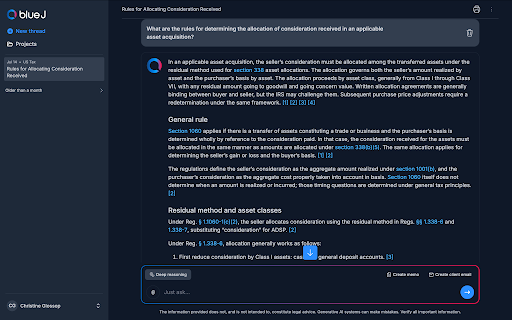
Blue J places numbered citations directly beside the statements they support, so you can see where a conclusion comes from as you read the analysis.
When you select a citation, you can open the underlying authority and review the source yourself. Blue J also groups the supporting material in a Cited sources section beneath the answer, where sources are identified by type, such as statutes, regulations, administrative guidance, or commentary.
Blue J's guidance on responsible AI safeguards emphasizes verifiable answers, authoritative sources, transparency, and human oversight.
Our guide to federal tax research also explains why a clear research trail is important when a conclusion may support a filing position, recommendation, or internal memo.
2. CCH AnswerConnect helps you establish and check authority
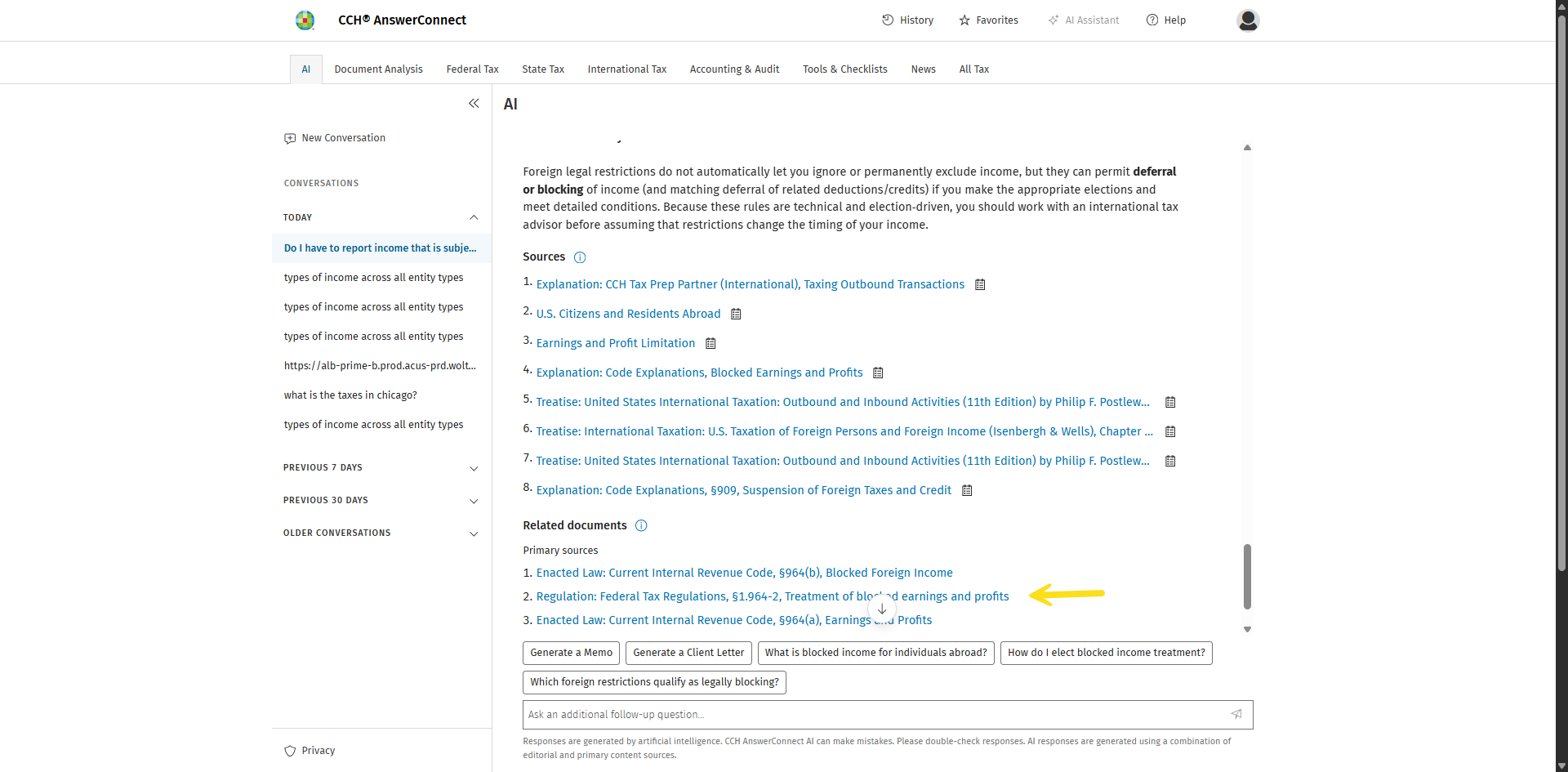
CCH AnswerConnect is a tax research platform from Wolters Kluwer that combines primary tax authority, editorial commentary, and AI-assisted research.
The tool combines primary tax authority with CCH editorial analysis and citation-backed research.
When you review a memo, you can use the solution to locate the authority behind a position, read the relevant source, and compare it with CCH's expert commentary.
Its Expert AI feature answers also include citations, giving you a direct path back to the material supporting the response.
This can help when you need to confirm that a memo relies on the right authority, find additional support, or challenge a conclusion before approving the work.
You can compare different approaches to tax research in Blue J's tax research software comparison.
3. CoCounsel connects memo conclusions with Checkpoint authority
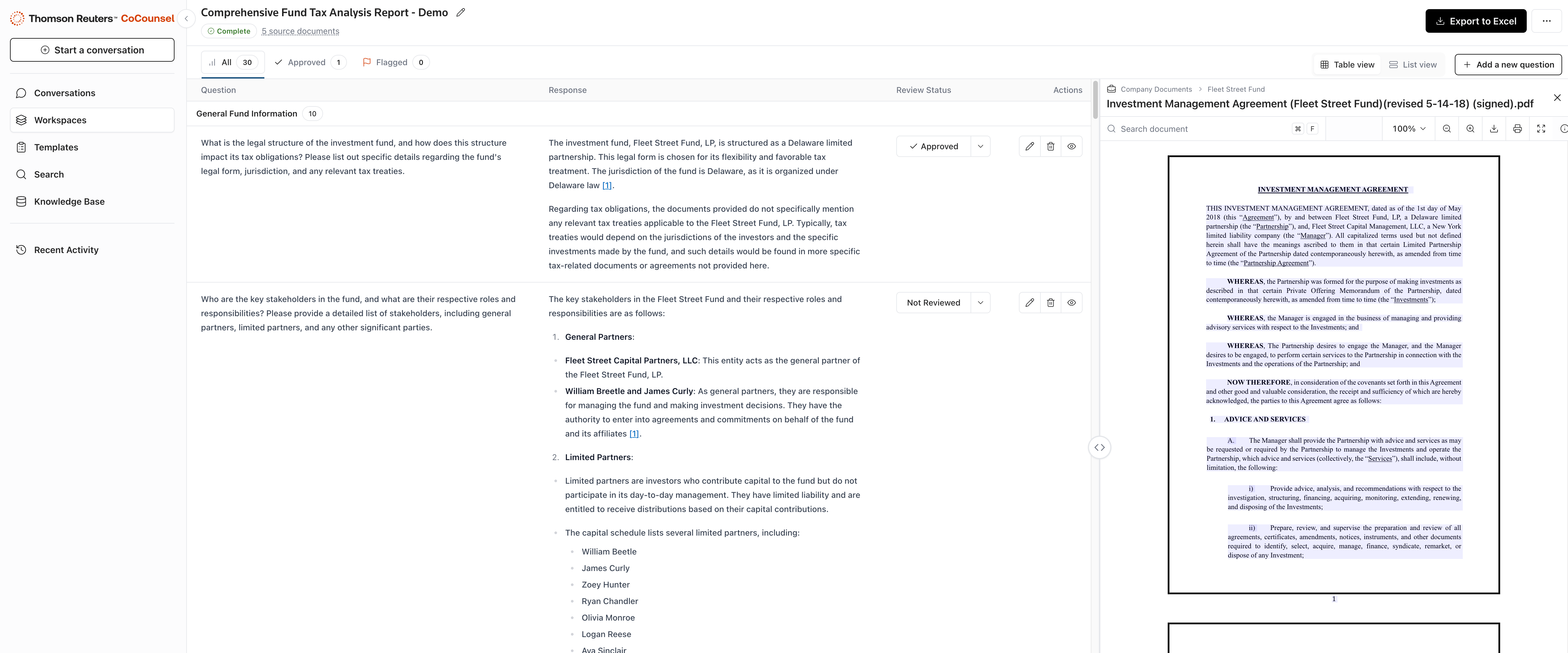
CoCounsel Tax can also support the verification stage through its connection to Checkpoint content.
When a position in the memo comes from research developed in CoCounsel, you can return to the supporting authority and inspect the source behind the analysis.
That gives you a way to check whether the cited guidance applies to the client's facts and whether the memo accurately reflects the research used to support it.
Best tools for managing tax memo review and handoffs
Getting a tax memo through review can involve coordinating multiple reviewers, tracking revisions, managing deadlines, and keeping supporting documents organized. When these tasks are spread across emails, shared folders, and separate task lists, it becomes harder to keep the review process moving.
Here are the best tools that can help you manage reviewer assignments, deadlines, supporting files, feedback, and handoffs. These tools focus more directly on firm workflow and practice management.
1. Karbon helps you manage tax memo review from draft to approval
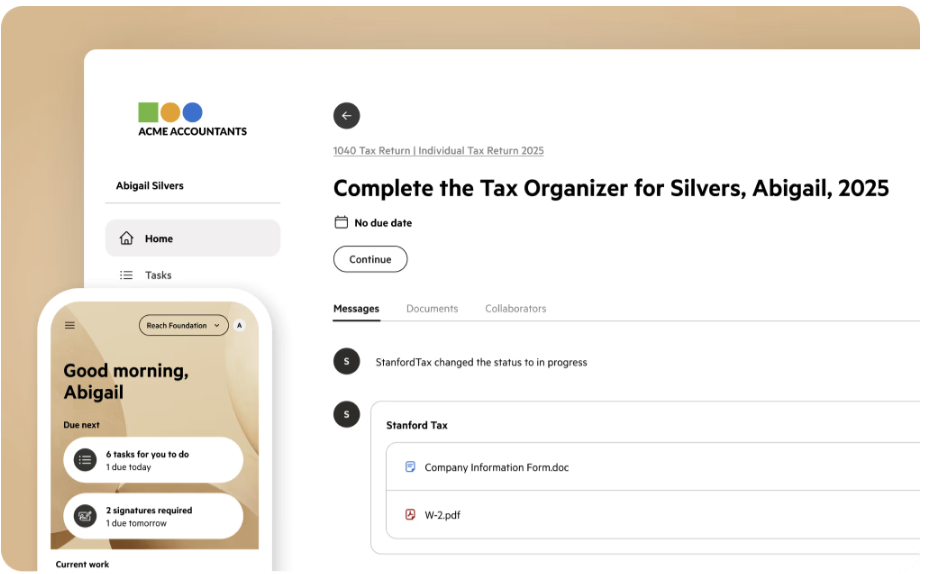
Karbon is a practice management and workflow platform that helps accounting firms coordinate assignments, deadlines, collaboration, and review processes.
The platform supports tax memo review with features such as task lists, work templates, task list automators, due dates, and file attachments.
Together, these features help you assign clear review responsibility, track the memo’s status, manage deadlines, keep supporting files connected to the work, and move the memo through each stage of review.
You can assign the memo to a reviewer, set a due date, track its status, attach supporting files, and manage each review stage in one place.
Karbon doesn’t research or verify the tax position itself. Its role is managing the workflow around the memo.
2. Canopy keeps tax memo review work inside the client engagement

Canopy is a tax practice management platform that helps firms organize client engagements, documents, tasks, deadlines, and workflow automation.
It helps you keep the memo, supporting documents, review tasks, and comments together within the client engagement.
Its task workspace feature centralizes files, notes, subtasks, reminders, comments, and automations. Task automations can also change assignees, statuses, and dates as review work progresses.
For tax memo review, you can use Canopy to manage:
- Supporting documents: keep the memo and relevant client files attached to the engagement.
- Review tasks: separate drafting, manager review, revisions, and final approval.
- Deadlines: set due dates for each stage of the review process.
- Reviewer feedback: keep comments and follow-up work connected to the task.
- Workflow automation: move or reassign tasks when defined review steps are completed.
This can reduce the need to manage the memo review through separate email threads, file folders, and task lists.
Choose the tool based on the part of your tax memo process you need to improve
Once you know where you need support, you can narrow the comparison to the solutions built for that part of the memo process.
After shortlisting your preferred AI tools, the next step is to test them against real tax memo work.
Blue J's guide to how firms can evaluate AI tax research tools provides a framework for comparing areas such as answer quality, sources, verification, uncertainty, and workflow fit.
Blue J keeps client context, tax research, and drafting in the same workflow
Blue J appears in several categories in this comparison because the same AI-powered tax research solution can support client-document analysis, technical research, source verification, and tax writing.
You may start with a client document, move into tax research, check the authority behind the analysis, and then turn that work into a memo. Once you've reviewed the research, Blue J's Create Memo feature lets you generate a structured draft from the same work, without rebuilding the facts, reasoning, and authority in a separate tool.
The research itself draws on primary US tax authority, along with Tax Notes news and commentary. For international questions, Blue J also includes content from the International Bureau of Fiscal Documentation (IBFD), an organization that specializes in international and cross-border tax research across more than 220 jurisdictions.
That combination of research and drafting reflects a broader shift in how AI is transforming tax.
Frequently asked questions about AI tax memo drafting
What is the best AI for drafting tax memos?
The best AI for drafting tax memos depends on where your process slows down. Some tools are strongest at turning completed research into a first draft. Others help earlier with document analysis and source verification, or later with review and workflow management. Compare tools against the work your team actually needs to speed up, rather than choosing on drafting speed alone.
Can AI draft a tax memo with citations I can verify?
Yes, some AI tax tools can produce cited analysis and connect you to the underlying authority. However, citation visibility is only useful if you can open the source and review it in context. Before relying on the draft, confirm that the authority supports the conclusion, applies in the relevant jurisdiction, and is appropriate for the tax year and client facts.
Can AI turn an IRS notice into a draft response?
Yes. Some AI tax tools can help move from an IRS notice to a draft response by analyzing the document, identifying the issue, researching relevant authority, and carrying that analysis into the correspondence.
Blue J, for example, lets you use an uploaded IRS notice as client context, research the underlying tax issue, inspect the supporting sources, and turn the reviewed analysis into a structured draft response. What is left is your judgment: verifying the facts, confirming cited authorities, and assessing tax positions.
Can AI prepare a first draft of an engagement letter?
Yes, some AI drafting tools can help create a first draft of an engagement letter and reduce blank-page work. However, the draft still needs careful review. Check the scope of services, client and firm responsibilities, billing terms, legal language, and any requirements specific to your firm. Your final letter should reflect the actual engagement rather than a generic template.
What still needs human review in an AI-generated tax memo?
Your professional judgment remains central when reviewing AI-generated tax memos. Review the client facts, cited authority, legal applicability, reasoning, conclusion, and final language before approving the memo. Also check whether the sources apply to the relevant jurisdiction and tax year. Strong responsible AI safeguards support that process, but they do not replace practitioner review.

Stay up to date